Frenzy Command
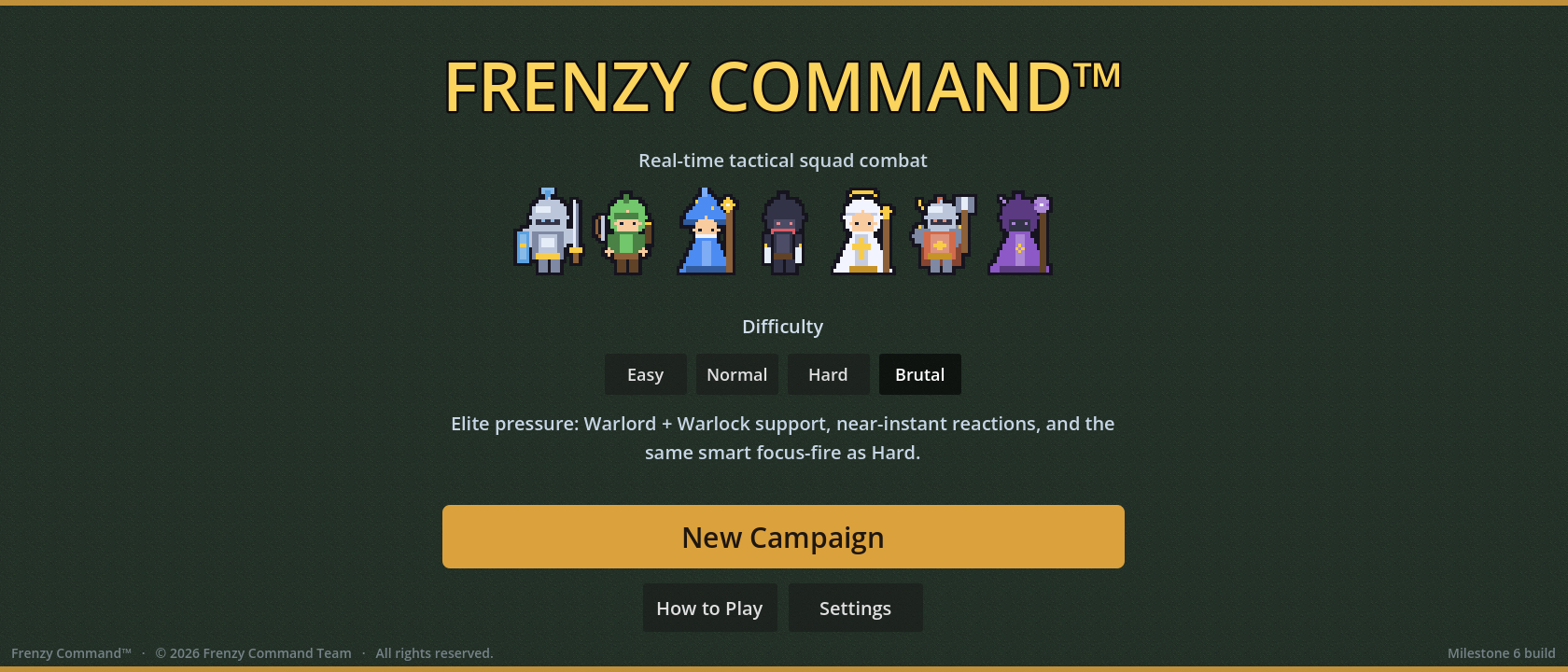
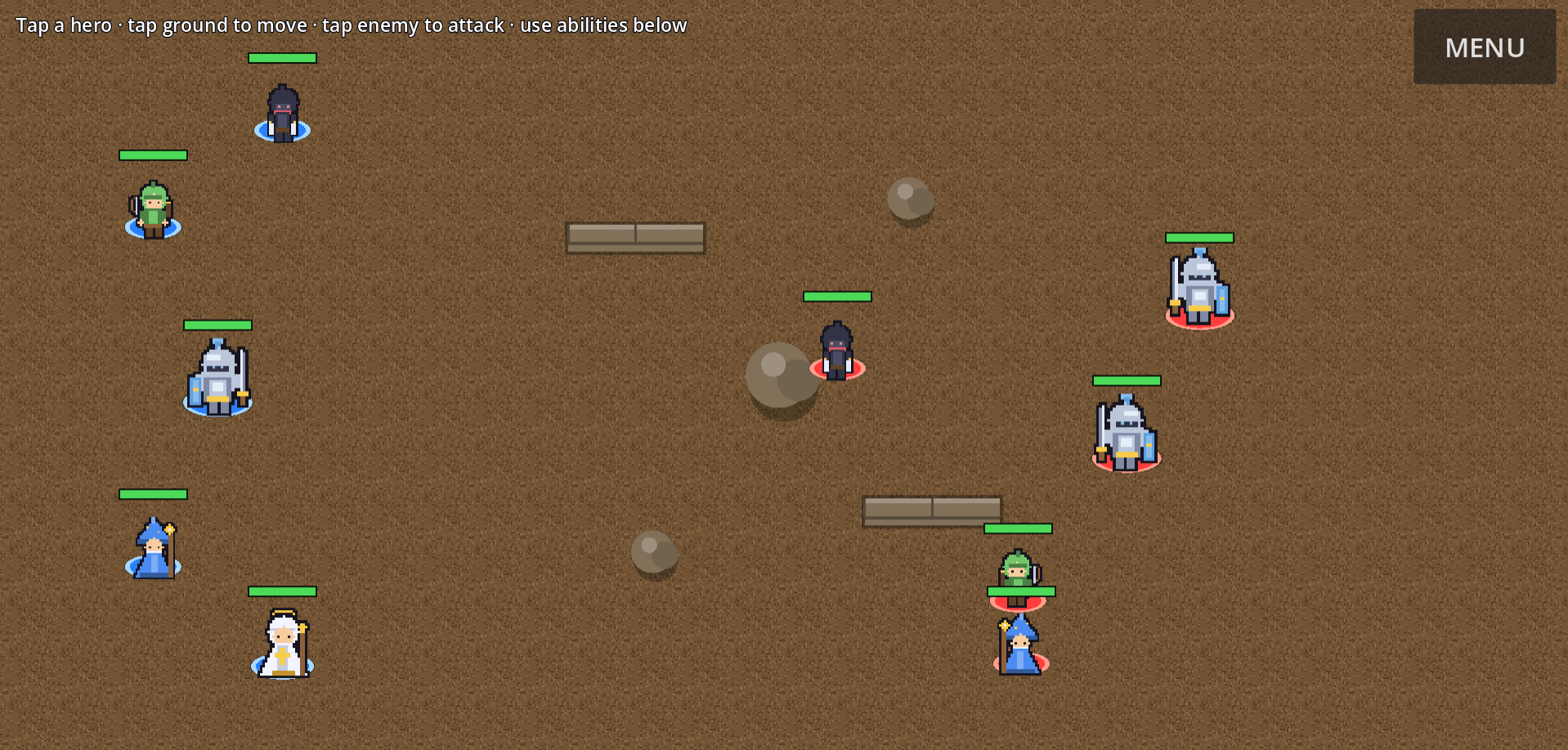
Frenzy Command™ is a 2D real-time tactics game: pick a five-hero squad from seven classes, fight AI enemies on arenas with different terrain, and advance or retreat a front line from your castle to the enemy castle. There is no gear, loot, or RPG leveling. Skill and formation are the progression. Built for quick sessions on desktop and landscape phone browsers.
Why I built it
I wanted a real-time squad fight that stays simple: command one hero at a time, win with positioning and formation, and skip the gear grind and skill trees. I also wanted to see how far I could get solo in Godot with Cursor, drawing the look and sound inside the project itself, and still ship something friends and family could play in a browser.
Problem it solves
I didn’t want a tactics game that buries you in loot, skill trees, and inventories before the fight feels good. I also didn’t want something that only works inside the editor. I wanted friends and family to open a real fight in a browser. On phones and the web, that means dealing with sound that won’t start until you tap, landscape battles that need to fit the screen, and touch controls that don’t behave like a mouse.
Research
From the start, the rule was simple: a fun battle beats a pile of features. Gear and skill trees stayed out of scope on purpose. Playtesting with friends on phones taught me the real web problems: sound stopping when you switch tabs, landscape fights that clip the battle, volume sliders that break without mouse behavior, and a camera that needs a phone-shaped arena to stay readable. I also started tracking win rates by difficulty so a later balance pass could use evidence instead of guesswork.
Solution
I shipped the full loop early: menu → war map → pick a squad → five-on-five fight → result → the front line moves. Then I layered abilities, terrain, saves, sound, and phone layout on top without breaking the core rule: one selected hero, move, then hold. No chasing around the map. Difficulty and map location are separate: one controls how smart the AI feels, the other controls which enemies and terrain you face, so balance stays understandable.
Key features
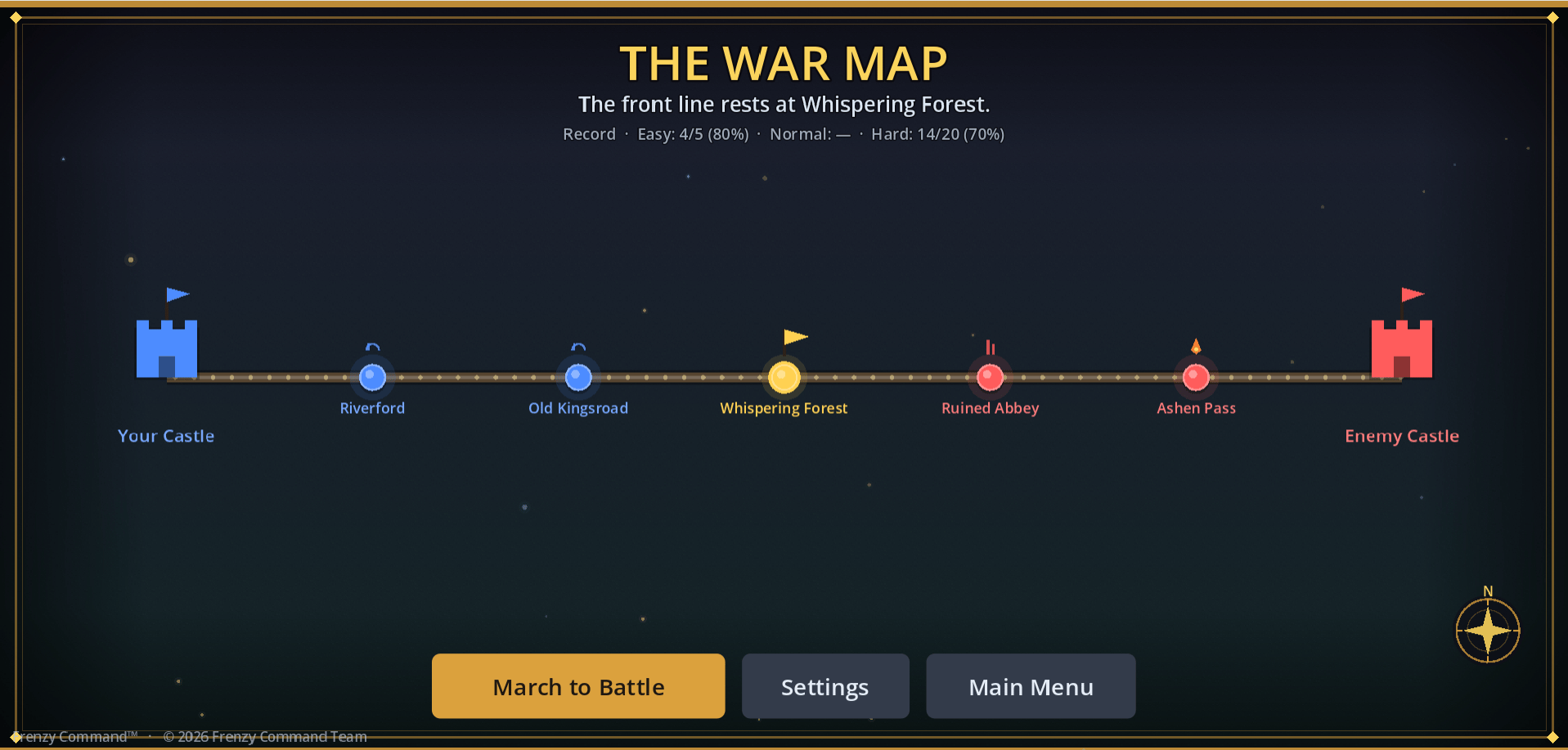
- War map campaign: seven stops from your castle to the enemy castle. Win and the front advances; lose and it retreats. The war ends at either castle.
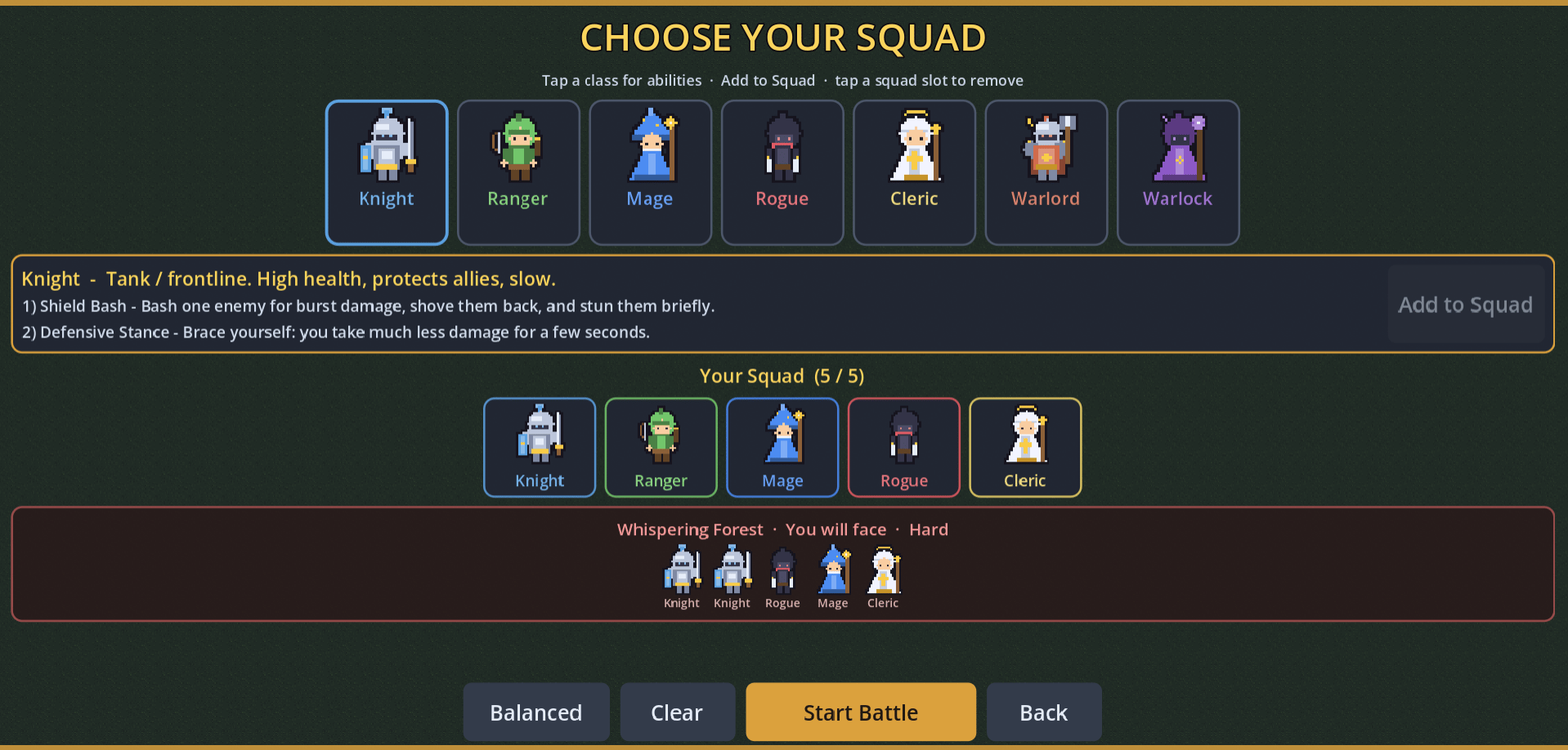
- Seven playable classes, field five: Knight, Ranger, Mage, Rogue, Cleric, Warlord, Warlock. Duplicates allowed. Abilities described in plain language.
- Two abilities per class: cooldowns, area attacks, blinks, stuns, damage reduction, a one-time revive, and hex zones. On Normal, Hard, and Brutal, the AI uses abilities too.
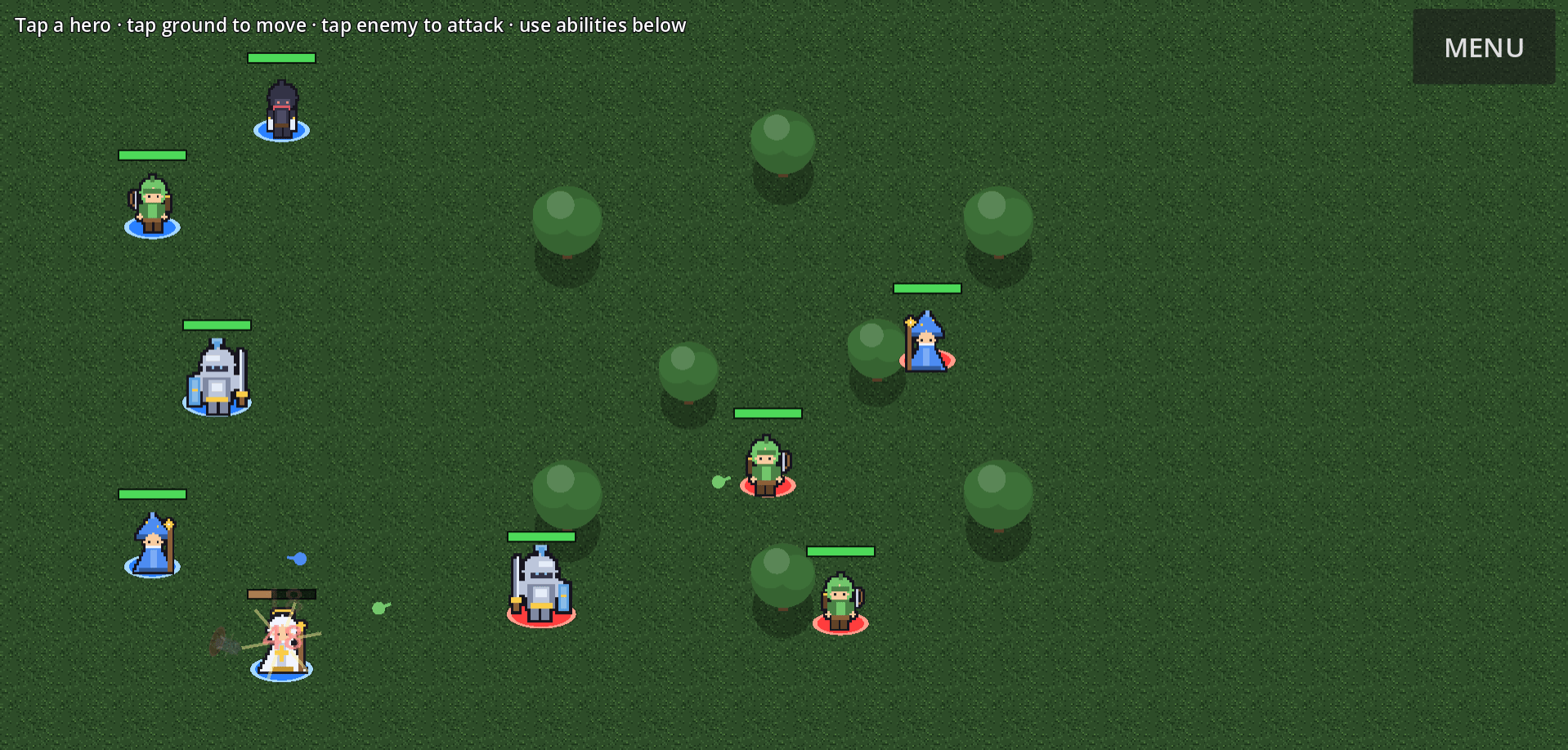
- One-hero command: select a unit, then move, attack, or use an ability. Units hold and fight when something is in range. They don’t chase.
- Different ground and obstacles on each arena: grass, forest, road, stone, sand, ember, brick, plus walls, water, rocks, trees, and pillars units path around.
- Easy / Normal / Hard / Brutal: one difficulty setting changes how fast the AI reacts and whether it uses abilities, plus the default enemy groups.
- Saves and settings: resume a campaign, volume controls, How to Play, and a first-battle tutorial.
- Web and phone presentation: prefers landscape with a rotate prompt, a camera that covers the fight, touch-friendly settings, and a tap-to-enable-sound step for browsers.
Architecture
Shared systems handle routing, squads, difficulty, the campaign front line, settings, audio, stats, and phone orientation. Battles run in one battle scene. Heroes and enemies use the same unit setup, configured from class and ability data. Mouse and touch feed the same commands. Enemy AI is a small state machine on each enemy. Damage numbers, screen shake, and sound listen for combat events instead of being hard-wired into every unit. The look and sound are generated in the project, not shipped as big art and audio files. On the web, audio uses a stream path that keeps working under browser rules. Each arena builds its walkable paths when the fight starts. The campaign front is a straight line of locations on purpose, so the complexity budget stays on making the fight clear.
Screenshots
Challenges
- Keep combat driven by class and ability data, with one shared unit setup for heroes and enemies, instead of bolting on gear and skill-tree systems.
- Make terrain fair: walls and obstacles that both the player and the AI walk around, instead of sliding through corners.
- Generate the look and sound inside the project itself (pixel-style units, ground tiles, effects, and music) when I didn’t have art and audio files to drop in.
- Get sound working on phones in the browser: unlock audio with a tap, keep the session alive, and show a clear tap-for-sound step when the browser blocks autoplay.
- Fit landscape fights on phones: shape the arena so units stay readable without clipping the playable field.
Lessons learned
- Browser sound is picky: unmuting another tab does not unlock the game, and closing other media can kill the session. The game has to assume that.
- Don’t treat every desktop window flicker as “come back to the game.” Resume from a real tab hide or when audio actually suspends.
- Touch controls break some built-in sliders. Settings need custom controls that work with fingers.
- Camera framing is easy to get wrong in Godot. Check it on real phone screens, not only on desktop.
- Keep difficulty (how the AI plays) separate from map location (which enemies and terrain you face). That keeps balance understandable.
Future improvements
- A balance pass using real playtest win rates, not just gut feel.
- More maps, with denser hand-built layouts.
- More hardening for phone and browser audio edge cases.
- Clearer onboarding, and a less cramped UI on short landscape screens.
How it’s offered
Free to play in the browser. A personal project I built to share, not a store game or subscription product.
Development timeline
Milestone 1
Duel loop
Menu → 1v1 battle → result; mouse/touch select-move-attack.
Milestone 2
5v5 squads
Team select, five classes, coordinated AI, hold-and-engage.
Milestone 3
Ability kits
Two abilities/class; AI casts; downed/revive window.
Milestone 4
War Map
Seven-location tug-of-war campaign + biomes/obstacles.
Milestone 5
Credibility bar
Procedural audio, saves, tutorial, settings/pause, web chrome.
Milestone 6
Retention & fairness
Navmesh pathfinding, battle stats, Warlord/Warlock, mobile HUD touch-ups.
2026
Shareable web polish
Camera/audio/settings UX for friend playtests on Vercel.